Using Video Backgrounds in SongShowPlus
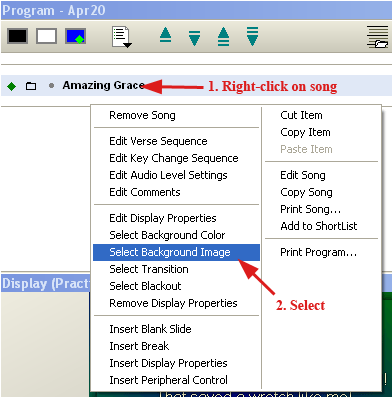
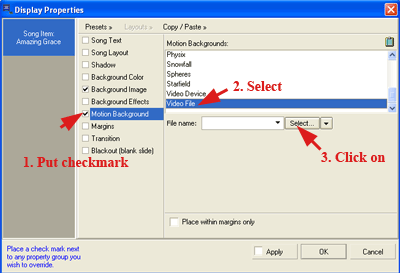
1. After adding song lyrics, right-click on the song, and Select Background Image.
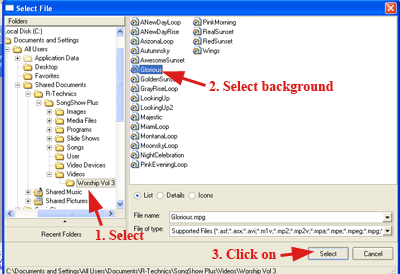
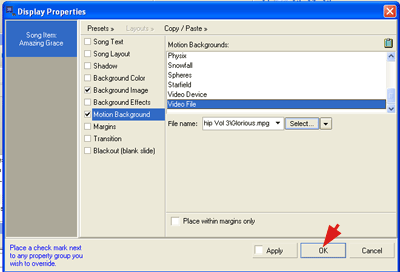
2. Navigate to video backgrounds folder that we imported with the Media Wizard in the first tutorial. Select background and click Select.
Worship Presentation Tutorials > SongShowPlus Tutorials
Copyright © 2005 TriLab Productions. All rights reserved.
3135 Green Terrace Rd Shreveport, LA 71118
Phone: 318-603-0236 Fax: 318-603-9022
Copyright 2001-2011 All Rights Reserved