EasyWorship Tutorials
Using Video Backgrounds behind song lyrics
1. Copy video backgrounds from CD or DVD to your hard drive.
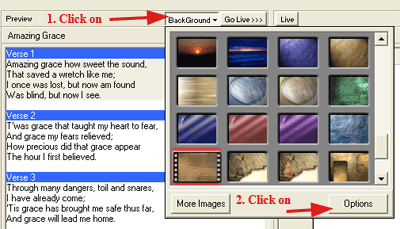
2. After adding the song lyrics, Select BackGround>Options
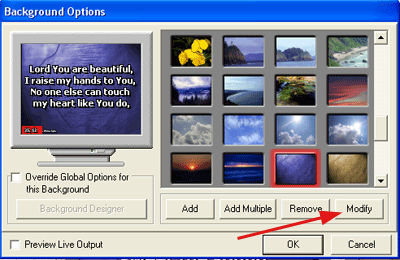
3. Click on Modify button.
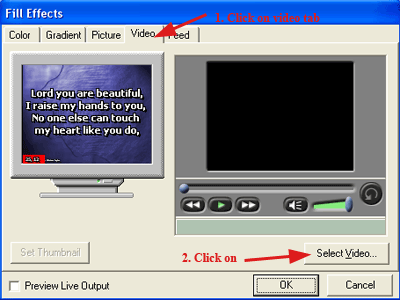
4. Click on the Video Tab at the top then Select Video button.
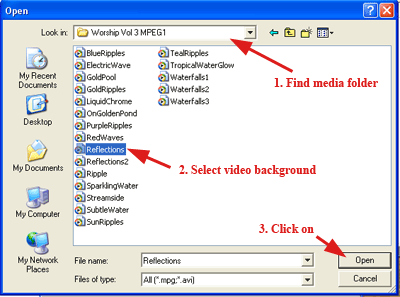
5. Find the video background folder you copied to your hard drive in step 1.
Worship Presentation Tutorials
Copyright © 2005 TriLab Productions. All rights reserved.
3135 Green Terrace Rd Shreveport, LA 71118
Phone: 318-603-0236 Fax: 318-603-9022
Copyright 2001-2011 All Rights Reserved