
Copying Files in Vista
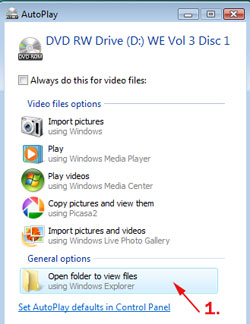
1. Place our Digital Hotcakes DVD in the DVD drive of your computer. After a short while the following window will display. Select Open folder to view files.
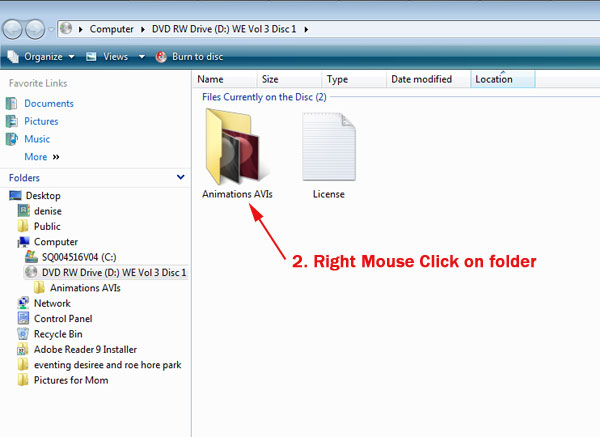
2. Right-mouse click on the folder in the right panel that you want to copy.
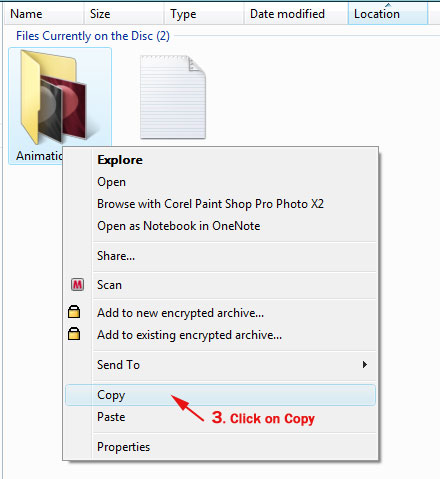
3. The following menu will pop-up. Select Copy.
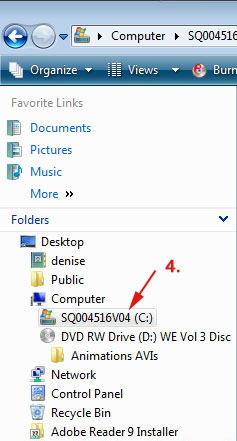
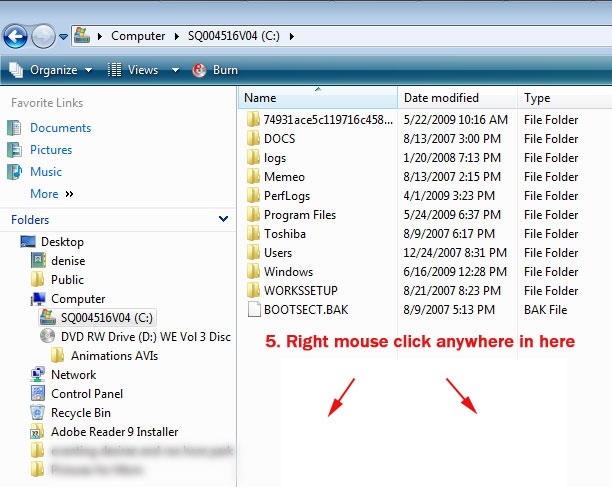
4. On the left side under Folders, select the hard drive where you want to copy the Digital Hotcakes folder. The following image shows selecting the C drive.
5. In the right side of panel, right-mouse click in blank space.
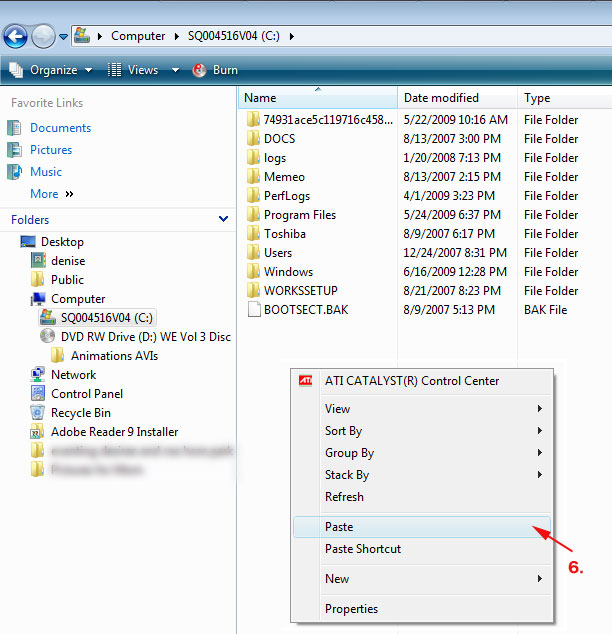
6. The following menu will pop-up. Select Paste. And the folder will now be copied.
Copyright © 2009 TriLab Productions. All rights reserved.